Materials and Textures in 3D Rendering That Make Interior Spaces Look Real
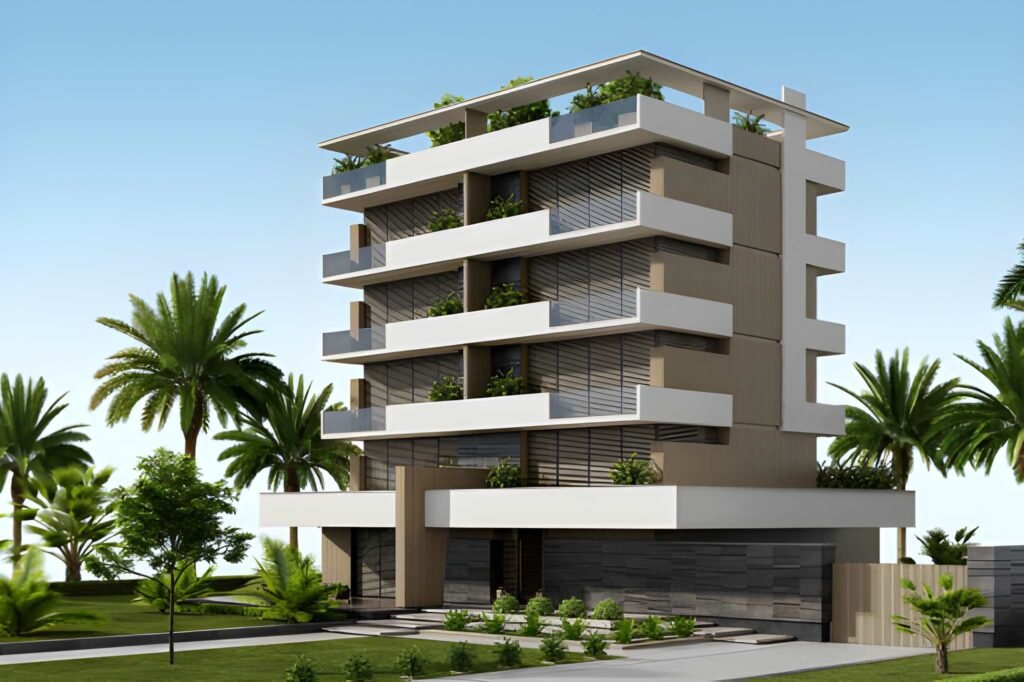
If your interior render looks “almost there” but still feels like CGI, the problem is rarely the camera angle or the furniture. It’s usually the surface work. Realism lives in the small decisions: how wood grain repeats, how stone catches highlights, how paint scatters light, and how tile edges create micro-shadows. When those details are missing, the scene feels flat—even if your lighting is decent. That’s why materials textures interior 3D rendering is one of the most important skills in visualization. The right materials make your interior spaces look believable, high-end, and ready to present. The wrong textures make even a good design look cheap or unfinished. In this guide, we’ll break down the materials and texture choices that consistently improve realism, explain why PBR materials matter, show how to avoid common mistakes like tiling and scale issues, and share practical rendering techniques to make professional interior visuals look real. Why materials and textures decide realism faster than anything else Lighting is crucial, but lighting can only reveal what’s already there. If your walls have no subtle variation, the light has nothing to “play with.” If your wood floors are too perfect, your space feels artificial. Real interiors have imperfections: slight roughness changes, micro bumps, tiny scratches, small inconsistencies in color. Those imperfections are not flaws—they are realism. Great materials do three things: They respond to interior lighting correctlyReal surfaces reflect light in complex ways. Good materials mimic that complexity. They communicate quality instantlyA premium interior is often read through textures: timber grain, stone pattern depth, fabric weave, brushed metal. They add scale cuesIf a tile texture is the wrong size, the entire room feels “off.” Correct scale makes the viewer believe the space. What a “material” actually is in interior rendering In rendering, a material is not just a color. It is a system of properties that tells the renderer how a surface behaves under light. That includes: Base color (albedo/diffuse) Roughness (how glossy or matte it is) Specular/reflectivity (how much light it reflects) Normal or bump detail (micro texture depth) Displacement (real geometry depth for strong surface relief) Sometimes translucency, subsurface scattering, or sheen When you hear “PBR materials,” it means physically based rendering materials—materials built on realistic rules of light interaction. PBR is one of the biggest reasons modern 3D interior rendering can look photographic. PBR materials and why they make interiors look professional If you want realism, learn to use pbr materials and pbr textures correctly. PBR materials help because: They follow consistent physical logic Roughness values behave naturally across different light setups Reflections look believable instead of “plastic” Materials respond better to global illumination and interior lighting A common beginner issue is using a single image texture as “the material.” That approach ignores roughness, normal depth, and real reflectivity—so the surface looks flat. PBR fixes this by making a surface behave like real wood, real stone, or real tile. The three texture mistakes that instantly scream CGI 1) Wrong scale This is the #1 realism killer. If wood grain looks too large, the floor feels like a dollhouse. If brick is too small, your wall feels like a miniature prop. Always match textures to real-world scale. Quick tip: place a known object (like a chair or door) and compare your texture scale to real reference photos. 2) Visible tiling and repetition A repeating texture pattern looks synthetic. Real materials have variation. To fix tiling: Use higher-resolution textures Rotate UVs strategically Add subtle variation layers (color noise, roughness noise) Use “textures seamless” sources when possible 3) Overly clean surfaces Perfect surfaces do not exist in real homes. Even a luxury interior has micro marks: subtle roughness changes, tiny scratches, slight dusting, soft edge wear. This is where “imperfection maps” help. They make the surface feel lived-in without making it messy. Rendering textures: what you actually need for realism For most surfaces, realism comes from using multiple maps, not just one. A good texture set often includes: Albedo (color) Roughness (gloss control) Normal (micro surface detail) AO (ambient occlusion, subtle shadow depth) Optional displacement for stone, brick, heavy grout lines This is why “rendering textures” are often sold in packs: the maps work together to simulate real material behavior. Wood: the easiest place to win realism Wood is everywhere in interior spaces: floors, cabinets, wall panels, furniture. And it’s also one of the easiest materials to get wrong. To make wood realistic: Use correct grain scale Avoid overly saturated orange tones Add subtle roughness variation (wood is never uniformly glossy) Use a normal map for grain depth Ensure plank seams and direction make sense For flooring, realism improves dramatically when you include: Slight plank tone variation Micro scratches in roughness Subtle bevel edges (even minimal) A floor that is too perfect looks like a screenshot, not a real room. Stone: make it feel heavy, not flat Stone often fails because it’s treated like painted wallpaper. Real stone has depth, micro variation, and complex reflectivity. To make stone believable: Use displacement where possible (especially for strong veins or rough stone) Use correct roughness (polished stone reflects sharply; honed stone reflects softly) Add subtle color variation layers Match the pattern scale to real slabs Even “smooth” stone surfaces are not perfectly uniform. Small imperfections make a huge difference. Tile texture and grout: the secret to realistic bathrooms and kitchens Bathrooms and kitchens are where clients judge detail. A tile surface becomes real when: The tile texture has correct scale Grout lines exist and create micro shadow depth Gloss levels match the tile type (matte, satin, glossy) Edge bevels are visible (even slightly) If your tiles look like a single flat image, you need more than just color. A normal map and subtle displacement for grout lines instantly upgrades realism. Also: don’t forget reflections. Tile realism is largely reflection realism. Wall texture: realism is subtle, not loud Walls are often ignored, but walls are what light bounces off. That means wall texture directly influences the mood of interior lighting.
A/B Test Interior Design Options with 3D Renders

In today’s competitive architecture and interior design industry, decision-making speed and clarity have become just as important as creativity. Clients want to explore ideas, compare alternatives, and feel confident before approving a final direction. At the same time, designers want to reduce subjective feedback loops, endless revisions, and misaligned expectations. This is where 3D interior renders design options play a transformative role. Instead of presenting a single concept and waiting for approval or rejection, studios can now use interior 3D renders to A/B test multiple design concepts in a structured, visual, and measurable way. By showing controlled variations of the same interior space, designers help clients make informed choices based on clarity rather than imagination. For studios like ArchiRender3D, this approach elevates interior rendering from a presentation tool to a strategic decision-making asset. This article explores how interior 3D rendering enables A/B testing, how designers can implement it effectively, and why it is becoming an essential workflow in modern interior design practice. Understanding A/B Testing in Interior Design A/B testing is commonly associated with digital products and marketing, but its principles translate seamlessly into interior design. In simple terms, A/B testing means presenting two or more alternatives to evaluate preferences, responses, and outcomes. In an interior design context, this could involve: Two layout configurations for the same interior scene Different material palettes applied to identical interior spaces Multiple lighting moods within the same room Alternative furniture and styling approaches By using interior 3D renders, these variations can be visualized clearly without physically building or altering anything. This allows designers and interior designers to test ideas early, before costly decisions are locked in. Why Interior 3D Renders Are Ideal for Design Comparison Traditional tools like sketches, 2D plans, and mood boards leave too much room for interpretation. Clients often struggle to visualize scale, depth, lighting, and material interactions. As a result, approvals are delayed and revisions multiply. Interior rendering addresses these challenges by creating accurate, realistic visualizations of interior spaces. A well-crafted render interior scene communicates proportions, lighting behavior, textures, and ambiance in a way that static drawings cannot. When designers use 3D interior renders design options, each option is grounded in the same spatial reality. This makes comparisons fair, objective, and meaningful. The Strategic Advantage for Designers For designers, A/B testing through interior rendering is not about producing more images, but about producing better decisions. Presenting multiple design options positions designers as strategic partners rather than service providers executing instructions. Designers gain several advantages: Clear documentation of client preferences Reduced subjective feedback like “I’ll know it when I see it” Faster approvals and fewer late-stage changes More confidence in final design direction This approach also protects the designer’s time and creative energy by resolving uncertainty early in the project. Improving Client Communication Through Visualization One of the biggest barriers in interior design projects is communication. Clients and designers often use the same words but imagine different outcomes. Terms like modern, minimal, warm, or luxurious can be interpreted in many ways. Photorealistic interior rendering eliminates ambiguity by showing exactly what those words mean in a specific interior scene. When clients view multiple renderings side by side, they can articulate preferences more clearly. Instead of abstract discussions, conversations become specific: Which lighting feels more comfortable Which layout supports daily use better Which material combination aligns with the client’s lifestyle This clarity builds trust and improves collaboration. Variables That Can Be A/B Tested Using Interior Renders Layout and Space Planning Interior spaces often support multiple layout strategies. Furniture placement, circulation paths, and zoning can be tested visually using the same base model. This helps clients understand how space flows and functions. Materials and Finishes Material selection is one of the most impactful design decisions. Using interior renderings, designers can compare wood versus stone, matte versus glossy, or light versus dark finishes without changing drawings. Color Schemes Colors behave differently under lighting conditions. Interior rendering allows designers to test colors realistically, showing how they interact with daylight and artificial light in the same interior space. Lighting Design Lighting affects mood, comfort, and perception of space. Multiple lighting setups can be rendered using the same interior scene to evaluate warmth, contrast, and functionality. Furniture and Styling Different furniture styles and decorative approaches can be tested to see how they influence the character of the interior. This is especially useful in modern interior projects where styling defines the overall experience. Maintaining Consistency Across Design Options For A/B testing to be effective, consistency is critical. All renderings must share the same camera angle, scale, and core geometry. Only the variable being tested should change. Professional interior rendering workflows ensure: Identical viewpoints across all images Consistent lighting baselines Uniform rendering style and quality Controlled adjustments to materials or elements This allows clients to focus on design differences rather than being distracted by visual inconsistencies. The Role of Rendering Software and Rendering Engines Advanced rendering software makes it possible to iterate quickly while maintaining high realism. Modern rendering engines simulate real-world lighting, reflections, and textures with precision. A reliable rendering process includes: Physically accurate lighting calculations High-resolution materials and textures Optimized workflows for faster revisions Consistent output across multiple renderings These technical foundations are essential when producing multiple interior renderings for comparison. Using Structured Feedback With Interior Renderings A/B testing becomes even more powerful when paired with structured feedback. Designers can guide clients through the review process by asking targeted questions rather than open-ended opinions. For example: Which option feels more comfortable for daily use Which interior visualization aligns better with your brand or lifestyle Which rendering style feels timeless rather than trendy This approach transforms feedback into actionable insights and reduces back-and-forth revisions. Applications Across Different Project Types Residential Interiors Homeowners often feel overwhelmed by choices. Interior 3D renders allow them to explore options confidently before making long-term decisions. This is especially valuable for kitchens, living rooms, and bedrooms where comfort matters most. Commercial Interior Design Offices, retail spaces, and hospitality interiors benefit from testing layouts and
Lighting Fundamentals in Interior 3D Rendering: Day, Night, and Mixed Scenes Explained
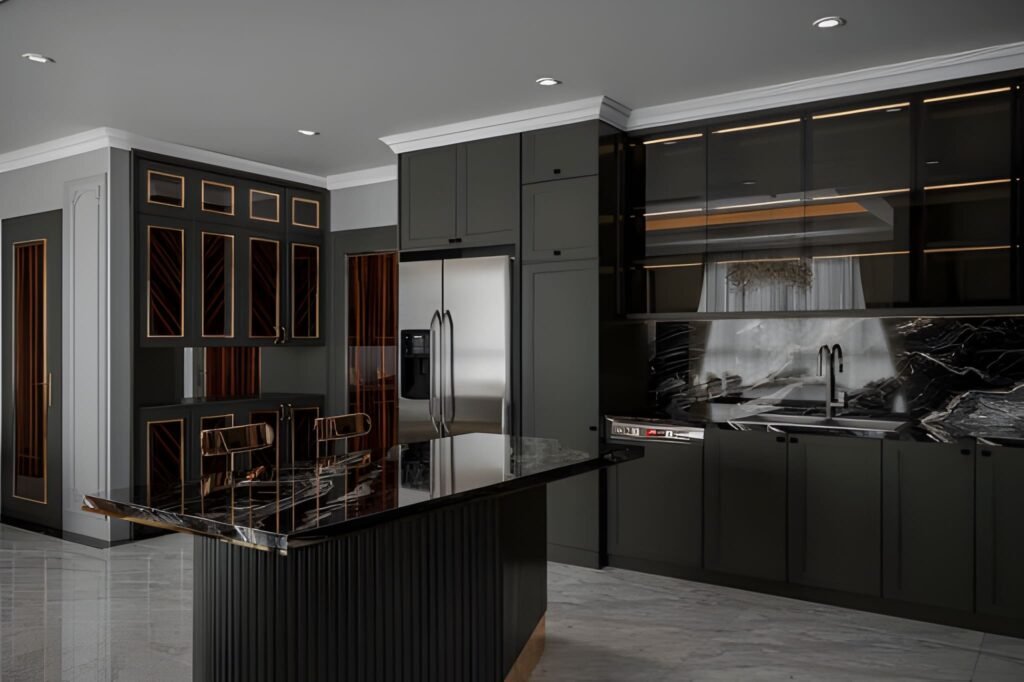
If your interiors look “flat,” plastic, or strangely empty—even with great materials and furniture—there’s a high chance the problem isn’t your model. It’s the light. In professional visualization, lighting in interior 3D rendering is the difference between a believable room and a scene that feels like a showroom mock-up. Lighting creates depth, reveals textures, shapes the mood, and tells the viewer where to look. It also makes your space feel realistic because it behaves the way light behaves in real life: it bounces, it fades, it changes color, and it creates shadows that give form to everything. This guide breaks down interior lighting fundamentals in a practical way, focusing on three common categories: day scenes, night scenes, and mixed scenes (daylight plus artificial light). You’ll learn how to choose a light source, how global illumination affects the rendered image, and how to avoid the classic mistakes that make renders look fake. Why lighting is the first thing your viewer notices A viewer may not know exactly what’s wrong in a render, but they feel it immediately. Lighting drives that reaction. Good lighting does a few critical things: It defines the form of the room and the scale of the space It makes materials believable by revealing texture and roughness It creates contrast so the eye knows where to focus It controls mood: cozy, premium, bright, dramatic, calm It makes interior design decisions look intentional, not accidental Even when your modeling and materials are perfect, poor lighting makes the final rendered image feel like CGI. That’s why lighting is treated as a core skill in every professional 3D rendering studio. Understand your light sources before you start rendering Every interior scene has two broad types of light sources: Natural lighting Sun and sky coming through windows, doors, skylights, or openings It changes depending on time of day, orientation, and weather Artificial light Ceiling fixtures, downlights, pendants, lamps, wall sconces, strip lighting It is controllable and creates specific zones of brightness When you start a scene, decide what the “hero” light source is: Is the space defined by daylight and soft shadows? Is it a warm night interior with pools of light from lamps? Is it a mixed scene where daylight and lighting fixtures work together? If you skip this decision and just add lights everywhere, the render becomes chaotic: overly bright, unnatural, and full of conflicting shadows. Global illumination: the realism engine behind good interiors One term you’ll hear often is global illumination. It sounds technical, but the idea is simple: Light doesn’t just travel in a straight line. It bounces. In real interiors, light hits a wall, reflects, spreads, softens, and fills the room. That bounce light is what creates realism—especially in corners, under cabinets, and along ceilings. When global illumination is set up properly in your 3D rendering workflow: Shadows are softer and more natural Brightness levels feel realistic rather than harsh The room looks “filled with light” instead of lit by spotlights Materials react correctly to light and reflections This is the core reason why some scenes feel photographic and others feel artificial. GI gives your interior lighting a physical logic. Day scenes: working with natural lighting Day interiors are the best place to learn because natural light is “honest.” It instantly shows mistakes in exposure, color, and shadow softness. Step 1: Choose the time of day Time of day changes everything: Morning gives long, angled shadows and a softer mood Midday gives hard shadows and can flatten interiors if overused Afternoon is warm, directional, and often the most flattering Overcast gives soft shadows and even brightness, great for clarity A beginner mistake is using harsh midday sun for every room. It can make a space feel clinical. Overcast daylight is often the easiest way to create a bright, clean interior design visual. Step 2: Control exposure, not the sunlight If your room looks too dark, don’t immediately increase light intensity. Often, you should adjust camera exposure first. Real interiors rely on camera settings as much as they rely on light power. A balanced day scene usually has: Bright window areas (but not pure white blowouts) Gentle shadow gradients across floors and walls A readable interior without making the space look “lit from inside” Step 3: Use realistic window behavior Windows are not just holes in the wall. Glass affects light: It reduces brightness slightly It adds reflections It changes the tone depending on coatings and angle In many interiors, correct glass settings are the difference between a believable render and a fake one. Step 4: Watch shadow direction and softness Day scenes should have clear but natural shadows. Shadow softness depends on sky conditions: Sunny = sharper shadows Overcast = softer shadows If you see razor-sharp shadows in a supposed “soft daylight” interior, your lighting setup is inconsistent. Night scenes: creating depth with artificial light Night scenes are harder because everything depends on the lighting fixtures. You’re no longer borrowing realism from the sun. Step 1: Build a lighting hierarchy Real rooms don’t have every light at maximum brightness. They use layers: Ambient: general room brightness (ceiling lights, indirect lights) Task: functional light (kitchen counters, desks, reading corners) Accent: mood and highlights (wall washers, strip lighting, lamps) When you build night scenes, create those layers deliberately. This approach instantly improves realistic lighting because it mirrors real interior lighting design. Step 2: Use believable color temperatures Night interiors feel realistic when different lights have different tones: Warm lamps and pendants Slightly cooler ceiling fixtures Neutral task lighting in kitchens and workspaces Even if you don’t measure every Kelvin value, you should avoid making every light the same color. Uniform lighting makes CGI look synthetic. Step 3: Respect light falloff Light falloff is how light fades over distance. In real life, brightness drops quickly as you move away from a lamp. If your night render shows a room evenly bright from a single lamp, the falloff is wrong. Correct falloff creates: Cozy pools of light Gradients on walls
Can 3D Architectural Rendering Reduce Construction Errors?
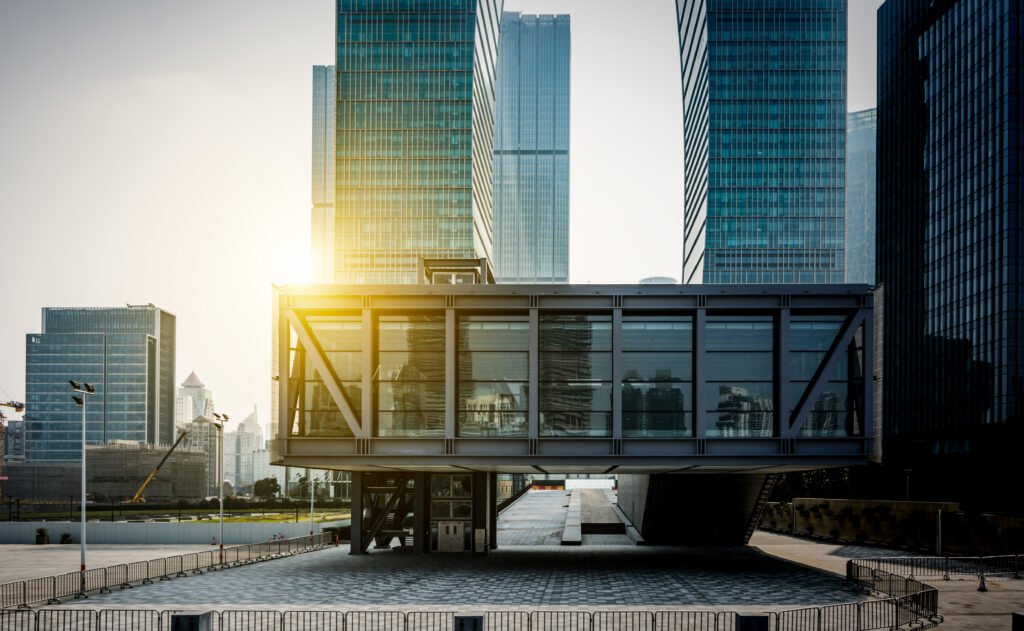
Table of Contents Key Takeaways Does 3D architectural rendering actually reduce construction errors? Yes. When used purposefully, 3D architectural rendering reduces construction mistakes by clarifying design intent, improving coordination, and enabling earlier detection of conflicts that otherwise show up on site. Which types of construction errors are most effectively prevented by pre construction visualization? Pre construction visualization prevents dimensional mismatches, MEP clashes, sequencing conflicts, ambiguous finish junctions, and misinterpretation of tolerances that commonly lead to rework and schedule delays. Which types of construction errors does rendering prevent? Rendering helps prevent dimensional mismatches, material misunderstandings, MEP clashes, sequencing oversights, and user experience problems that can lead to rework and cost overruns. How should teams use 3D visualization in architecture to maximize impact? Integrate renderings into pre construction workflows, pair them with BIM and coordination models, use interactive walkthroughs for stakeholder reviews, and lock down decisions with clear review protocols. Why Timeliness Matters for Construction and Visualization? The integration of 3d rendering services into the construction process is not a luxury. Efficient construction increasingly depends on clear visual communication early and often. Project teams face tighter schedules, compressed budgets, and more complex stakeholder expectations. That makes potential issues more costly and harder to resolve once ground works begin. Improved visualization moves questions from the site to the drawing review, which prevents surprise costs and keeps timelines intact. Modern projects use BIM coordination as the single source of truth, but BIM alone does not always translate easily for non technical stakeholders. High quality 3d rendering services convert federated BIM data into images and walkthroughs that all participants understand. When architects, contractors, and clients can see realistic sequences of construction, critical clashes and sequencing problems become obvious before steel is ordered or finishes are specified. Using 3D visualization in architecture during pre construction uncovers spatial and buildability problems early. That early detection means fewer RFIs, reduced change orders, and less rework on site. For contractors an accurate visual reduces misreading of drawings and supports efficient construction sequencing and logistics planning. For owners and investors it shortens decision cycles and increases confidence in budget and schedule assumptions. In short, the question matters now because the margin for error has shrunk and the return on investing in targeted visualization is clear. Teams that adopt 3d rendering services and link them to BIM coordination gain a practical advantage: they spot potential issues earlier, improve communication across disciplines, and deliver projects more predictably and efficiently. What we mean by 3D architectural rendering in construction workflows? When we talk about 3D architectural rendering in construction workflows we mean more than polished marketing images. These deliverables bridge design intent and buildability, help trades interpret assemblies, and provide a shared, visual reference for contractors, clients, and consultants. Used correctly, 3D rendering reduces ambiguity, surfaces potential issues early, and speeds approvals during pre construction and construction phases. Output Type Purpose for Construction Typical File Format Who Uses It Decision Point Photoreal stills Communicate finished material junctions and visual quality PNG; TIFF Clients; contractors Material sign off Technical close ups Show critical nodes, tolerances and connection details EXR AOV; PDF Fabricators; site supervisors Shop drawing approval MEP overlay passes Visualize ducts, pipes and conduits in context EXR; layered PSD MEP contractors; coordinators Clash resolution Interactive walkthroughs Validate circulation, clearances and sequencing WebGL; Unreal build Contractors; planners; clients Spatial validation Phasing and logistics flyovers Plan crane zones and site logistics MP4; animated FBX General contractor; site logistics Site staging plan As built comparison renders Compare proposed design against surveyed conditions PNG; point cloud overlays Surveyors; retrofit teams Demolition and fit out planning When these outputs are produced and consumed with the intent of technical validation rather than only aesthetics they become powerful tools for error reduction and construction readiness. Common construction errors and why they happen? Understanding the problem helps explain how visualization solves it. Frequent errors include: Dimensional mismatches between design and site realities caused by scale misunderstanding. MEP and structural clashes because trades work from different models or incomplete coordination. Incorrect material or finish selections that look different in real life than on drawings. Poorly thought through sequencing and logistics that create access problems on site. Ambiguities in spatial experience, for example poor circulation or sight lines that only become obvious when built. Misaligned expectations between client, architect and contractor about final quality and tolerances. These mistakes arise from incomplete communication, siloed data, inadequate early validation, and reliance on 2D representations that require mental translation. Visualizations reduce the cognitive load and make discrepancies obvious. How 3D architectural rendering prevents construction mistakes Making design intent unambiguous High quality 3d renderings show exact material junctions, ceiling heights, window sill details, and fixture placements in a way that cut sheets or notes sometimes do not. When stakeholders can see the intended outcome they are less likely to approve ambiguous details that later cause rework. Enabling early detection of spatial conflicts Walkthroughs and exploded views reveal conflicts between furniture, circulation and building systems before construction. Seeing a model in context exposes issues that static plans might hide. Aligning expectations across stakeholders Contractors, subcontractors and clients can all react to the same visual model. Visual alignment reduces disputes over what was intended and what was built. Improving coordination with MEP and structural teams Overlaying MEP routes on rendered scenes or compositing MEP color passes into interior renders highlights routing conflicts and access constraints that need resolution before site work. Supporting better procurement and shop drawing accuracy Photoreal and dimensionally accurate visuals guide manufacturers and fabricators, reducing errors in bespoke elements like millwork and curtain walls. Validating construction sequencing and site logistics Animated sequences show crane swing, material laydown areas, and staging which prevents clashes with public access, reduces safety risks and speeds scheduling. Reducing ambiguous change orders and RFIs When images and interactive models accompany change requests, reviewers see the issue clearly and can decide faster, reducing the cycle time for RFIs and change orders. Testing user experience and code compliance visually Renderings help evaluate egress sight lines, accessible route clarity, and
How to Choose the Best 3D Rendering Services Company?

Table of Contents Key Takeaways What defines the best 3D rendering services company? The best 3D rendering services company combines a relevant portfolio, proven technical expertise, reliable workflows, transparent pricing, strong communication, and measurable business outcomes. How do you evaluate providers quickly and confidently? Use a short pilot brief, compare portfolios against your product type, verify technical workflows, test collaboration tools, and assess responsiveness during an initial discovery phase. What outcomes should you expect from a great partner? Faster approvals, fewer on-site changes, higher marketing conversions, pitch materials that win investors, and scalable assets you can reuse across projects. Why Choosing the Right 3D Rendering Company Matters? Selecting the right 3d rendering service provider is a decision that affects more than visuals. A company with proven 3d rendering expertise and deep architectural company experience delivers photorealistic renderings that communicate design intent clearly to clients, planners, and contractors. When images are believable and technically accurate they reduce questions, speed approvals, and cut costly on site changes. Clear communication is equally important. The best providers assign a single point of contact who understands your project milestones, documents revision scopes, and translates feedback into actionable tasks for artists and technical directors. That communication rhythm preserves schedule and budget while preserving quality. Working with a partner experienced in architectural workflows means deliverables integrate with BIM and MEP coordination, handle UDIMs and AOV stacks, and arrive color calibrated for print and web. In real projects this combination of technical rigor and responsive communication turns renderings into decision making tools rather than just marketing assets, helping architects, developers, and stakeholders reach agreement faster and with more confidence. Who Uses 3D Rendering Services and Why? Architects seeking clearer client approvals and permit-ready visuals. Developers and real estate teams using renderings to accelerate pre-sales and investor buys. Interior designers who need interior rendering to sell finishes and layouts. Product teams using renderings to prototype, market, or crowdfund concepts. Marketing agencies who require high quality assets for campaigns and launches. Each stakeholder has a slightly different success metric, but all benefit from visuals that shorten the decision cycle, increase confidence, and improve conversion rates. What the Best 3D Rendering Services Company Offers? Portfolio that proves they can execute your project type with the desired finish level. Technical depth across render engines and real-time platforms. Clear, documented production workflow with milestones and QA gates. Transparent pricing that separates model prep, rendering, post-production, and revisions. Collaboration tools for visual reviews, pin-based feedback, and version control. Security measures for IP protection and secure file transfer. Options for scale such as cloud rendering and template libraries for repeat work. A top provider blends creative direction with technical reliability so each deliverable meets both aesthetic and business goals. How to Prepare Your Project Before You Search Defining your brief up front reduces friction and leads to better quotes: Define priority deliverables Number of stills, animations, VR scenes, or WebGL viewers you need. Gather source files and references Provide CAD, Revit, Rhino, SketchUp, or OBJ files with named layers and scale settings. Attach mood boards, brand guidelines, and real material samples. Set acceptance criteria Define what constitutes a final deliverable and how many revisions are included. Identify timeline and milestones Link visual delivery to marketing launch dates, permit submissions, or investor meetings. Clarify budget bands Provide a realistic budget range so providers can propose viable options. Prepared briefs shorten discovery, produce accurate 3d rendering pricing, and minimize scope creep. Step by Step Selection Process for the Best 3D Rendering Services Company Shortlist candidates from portfolios and referrals Look for projects that match scale and style. Issue a concise request for proposal or discovery brief Keep it to a single page with key files and expected deliverables. Evaluate responses for clarity and process detail Prefer providers who explain their workflow and show sample AOV passes. Conduct short interviews with chosen firms Focus on technical approach, communication rhythm, and team structure. Run a low cost pilot project One exterior and one interior still or a 15 second fly-through are sufficient to test fit. Review pilot outcomes against acceptance criteria Assess visual fidelity, responsiveness to feedback, and how smoothly files moved through their pipeline. Negotiate a longer term engagement with clear milestones and KPIs Include pricing packages for retainer work or volume discounts. This process keeps procurement efficient while reducing the risk of a mismatch. Technical Questions to Ask Prospective Service Provider Which render engines do you use for final stills and animations? Do you support real-time engines for interactive configurators or VR? How do you handle model cleanup and geometry optimization? Can you provide EXR AOV stacks for compositing and color grading? What PBR material libraries and scanned assets do you use? How do you manage color and display calibration for print and web? What is your typical samples per pixel for final renders, and how do you manage denoising? Do you support UDIM workflows and multi-tile UVs? How do you handle large scenes and memory constraints on render farms? Can you integrate MEP or BIM data for coordination visuals? Technical clarity ensures you will get deliverables that integrate into design and construction workflows. Comparing 3D Rendering Companies Choosing between 3d rendering companies is a pragmatic trade off among quality, speed, and fit. Use this short comparison framework to evaluate providers and match them to your project needs. Evaluation Area Small Specialist Studios Mid Sized 3D Rendering Companies Large Agencies Typical Strength Highly specialized craft; artistic nuance Balanced technical depth and production capacity Scalability; full service marketing support Best For High end single projects needing bespoke detail Most architecture and real estate projects at scale Enterprise programs, multi market rollouts Turnaround Flexible but capacity limited Predictable with moderate speed Fast due to large teams and render farms Pricing Profile Premium per view Mid range; packaged pricing available Variable; may include agency premiums Collaboration Direct with senior artists Project manager plus specialists Layered teams; account management Risk Capacity and scalability Good balance of quality and delivery Potential higher cost
What Is 3D Architectural Animation? A Guide for Architects
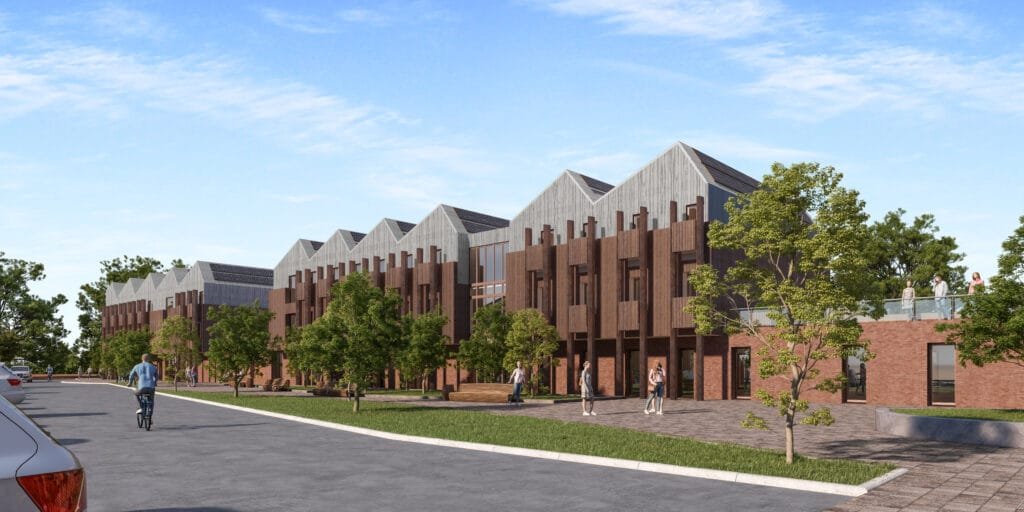
Introduction You may hesitate when you first hear about investing in 3D rendering services and cinematic architectural animations, wondering if advanced animation techniques and real-time rendering are truly more than just flashy extras. You’ve already commissioned basic walkthrough animations or static renders and found the results underwhelming, leaving you to question whether deeper architectural visualization can really move the needle. At ArchiRender3D, we’ve guided designers, developers, and marketers through the same uncertainty. On one urban mixed-use project, our team replaced dozens of static images with a concise 45-second fly-through that highlighted massing, context, and materials in motion—accelerating stakeholder buy-in by two weeks. On another high-end residential master plan, we used real-time rendering to tweak lighting and finishes live during client workshops, ensuring every detail resonated before committing to final frames. In this Ultimate Guide to 3D Architectural Animation, we’ll peel back the curtain on the strategies that make these animations effective. You’ll discover how to choose the right 3D rendering services, script compelling narratives using proven animation techniques, and know when to leverage real-time rendering versus high-fidelity offline pipelines. We’ll also explore how polished architectural walkthrough animations and integrated architectural visualization workflows can turn your proposals into immersive experiences that win more clients, speed approvals, and elevate your brand. By the end of this guide, you’ll feel confident about deploying motion as a strategic tool—knowing exactly when and how to transform static designs into stories that stakeholders not only see, but truly feel. Need an animation for your project? This page explains what architectural animation is and when it makes sense. If you already know you want one, our team can produce a walkthrough or flythrough from your drawings or model and quote a fixed price within one business day. Explore our 3D architectural animation service What Is 3D Architectural Animation? 3D Architectural Animation transforms digital building models into moving sequences that illustrate design intent. Instead of a single static view, you guide viewers through spaces, materials, lighting, and context in motion. An animation can range from a simple fly-through of a lobby to a fully narrated journey through a master plan. These sequences combine geometry, textures, lighting rigs, and camera paths to craft immersive visual stories. Why 3D Architectural Animation Matters Probably you worry that clients won’t sit through a minute-long video. In reality, well-crafted animations capture attention and build emotional connections in ways still images cannot. When clients see a sunlit atrium come alive, they grasp spatial relationships and material choices instantly. Animation also accelerates decision making. Stakeholders move beyond abstract plans and quickly agree on layouts, palettes, and finishes. That clarity can shave weeks off approval cycles. Key Use Cases for 3D Architectural Animation Use Case Description Client Presentations Showcase design vision in a dynamic, engaging format to diverse stakeholders Marketing and Sales Embed animations in websites, social media, and email campaigns to generate buzz and drive inquiries Investor Pitches Guide potential investors through a project’s narrative, highlighting ROI drivers and unique features Public Consultations Present master plans, zoning changes, or community designs in an approachable, easy to understand way Design Validation Test circulation paths, lighting strategies, and volumetric relationships internally before construction Client Presentations When you guide clients through a cinematic fly-through, they grasp spatial relationships and materiality almost immediately. A short animation of a lobby or atrium often shortens the review conversation because everyone is looking at the same thing. Marketing and Sales Embedding a short exterior and interior animation on a developer’s website gives visitors a reason to stay on the page and to reach out. Investor Pitches A narrative animation for a mixed-use scheme can weave foot-traffic patterns and rental yield projections into a clear story. Investors signed term sheets within a week after viewing the animation, accelerating funding rounds. Public Consultations An animation toggling between existing shoreline, future sea-level projections, and proposed green infrastructure turned skeptical residents into engaged advocates. The project earned permitting three months ahead of schedule. Design Validation An exploded-view animation for a multi-tower development revealed a clash between ductwork and ceiling beams before construction began. That early discovery saved $75,000 in change-order costs and kept the schedule on track. How Animation Supports Sales and Investment Decisions Beyond design review, animation earns its keep when money is on the line. For a developer, a walkthrough lets buyers and investors see finishes, flow, and daylight in a way a plan cannot, which tends to shorten the path from interest to commitment. For a lender or investment partner, a clear animated narrative of how the project will look and operate makes it easier to understand what is being funded. In marketing, the same footage can be cut into short clips for listings, social posts, and presentations, so one production serves many uses. Keep claims honest: an animation should show the project as designed, not an inflated version of it. If you are weighing animation against stills for a sales launch, our page on 3D rendering for real estate developers explains how the two fit together. Types of 3D Architectural Animations Animation Type Description Typical Duration Fly-Through Smooth camera path through interior or exterior spaces 30–60 seconds Fly-Around Exterior orbit of a building to showcase form and context 20–40 seconds Walk-Through First-person perspective simulating a visitor’s path 60–90 seconds Exploded View Animated separation of building components for technical clarity 15–30 seconds Sequence-Based Narrative Story-driven video with annotation, voice-over, and graphics 90–180 seconds Fly-Through Animations A fly-through is a smooth, guided camera path that carries viewers through interior or exterior zones. You might worry that static renderings already capture your design’s highlights, but a fly-through turns passive observation into immersive exploration. Real Experience: For a corporate headquarters lobby, we crafted a 50-second fly-through that began at the entrance plaza, glided under the vaulted ceiling, and paused at key design features, such as the reception desk, sculptural stairway, and double-height atrium. Decision makers who previously hesitated on finish selections signed off within days, citing the animation as the closest they had felt to