Lighting Fundamentals in Interior 3D Rendering: Day, Night, and Mixed Scenes Explained
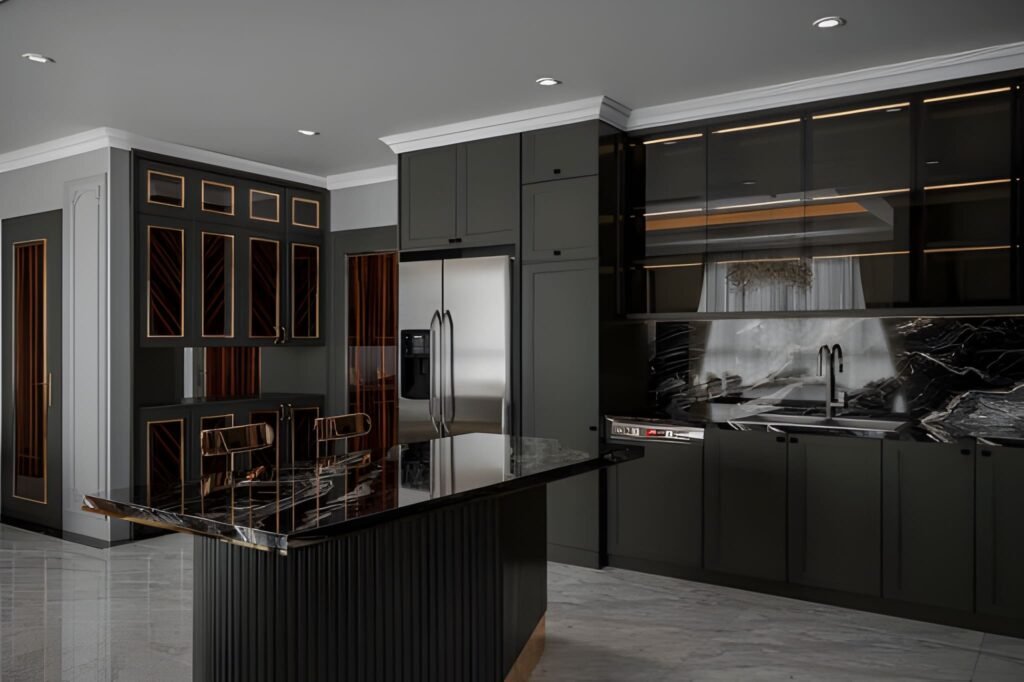
If your interiors look “flat,” plastic, or strangely empty—even with great materials and furniture—there’s a high chance the problem isn’t your model. It’s the light. In professional visualization, lighting in interior 3D rendering is the difference between a believable room and a scene that feels like a showroom mock-up. Lighting creates depth, reveals textures, shapes the mood, and tells the viewer where to look. It also makes your space feel realistic because it behaves the way light behaves in real life: it bounces, it fades, it changes color, and it creates shadows that give form to everything. This guide breaks down interior lighting fundamentals in a practical way, focusing on three common categories: day scenes, night scenes, and mixed scenes (daylight plus artificial light). You’ll learn how to choose a light source, how global illumination affects the rendered image, and how to avoid the classic mistakes that make renders look fake. Why lighting is the first thing your viewer notices A viewer may not know exactly what’s wrong in a render, but they feel it immediately. Lighting drives that reaction. Good lighting does a few critical things: It defines the form of the room and the scale of the space It makes materials believable by revealing texture and roughness It creates contrast so the eye knows where to focus It controls mood: cozy, premium, bright, dramatic, calm It makes interior design decisions look intentional, not accidental Even when your modeling and materials are perfect, poor lighting makes the final rendered image feel like CGI. That’s why lighting is treated as a core skill in every professional 3D rendering studio. Understand your light sources before you start rendering Every interior scene has two broad types of light sources: Natural lighting Sun and sky coming through windows, doors, skylights, or openings It changes depending on time of day, orientation, and weather Artificial light Ceiling fixtures, downlights, pendants, lamps, wall sconces, strip lighting It is controllable and creates specific zones of brightness When you start a scene, decide what the “hero” light source is: Is the space defined by daylight and soft shadows? Is it a warm night interior with pools of light from lamps? Is it a mixed scene where daylight and lighting fixtures work together? If you skip this decision and just add lights everywhere, the render becomes chaotic: overly bright, unnatural, and full of conflicting shadows. Global illumination: the realism engine behind good interiors One term you’ll hear often is global illumination. It sounds technical, but the idea is simple: Light doesn’t just travel in a straight line. It bounces. In real interiors, light hits a wall, reflects, spreads, softens, and fills the room. That bounce light is what creates realism—especially in corners, under cabinets, and along ceilings. When global illumination is set up properly in your 3D rendering workflow: Shadows are softer and more natural Brightness levels feel realistic rather than harsh The room looks “filled with light” instead of lit by spotlights Materials react correctly to light and reflections This is the core reason why some scenes feel photographic and others feel artificial. GI gives your interior lighting a physical logic. Day scenes: working with natural lighting Day interiors are the best place to learn because natural light is “honest.” It instantly shows mistakes in exposure, color, and shadow softness. Step 1: Choose the time of day Time of day changes everything: Morning gives long, angled shadows and a softer mood Midday gives hard shadows and can flatten interiors if overused Afternoon is warm, directional, and often the most flattering Overcast gives soft shadows and even brightness, great for clarity A beginner mistake is using harsh midday sun for every room. It can make a space feel clinical. Overcast daylight is often the easiest way to create a bright, clean interior design visual. Step 2: Control exposure, not the sunlight If your room looks too dark, don’t immediately increase light intensity. Often, you should adjust camera exposure first. Real interiors rely on camera settings as much as they rely on light power. A balanced day scene usually has: Bright window areas (but not pure white blowouts) Gentle shadow gradients across floors and walls A readable interior without making the space look “lit from inside” Step 3: Use realistic window behavior Windows are not just holes in the wall. Glass affects light: It reduces brightness slightly It adds reflections It changes the tone depending on coatings and angle In many interiors, correct glass settings are the difference between a believable render and a fake one. Step 4: Watch shadow direction and softness Day scenes should have clear but natural shadows. Shadow softness depends on sky conditions: Sunny = sharper shadows Overcast = softer shadows If you see razor-sharp shadows in a supposed “soft daylight” interior, your lighting setup is inconsistent. Night scenes: creating depth with artificial light Night scenes are harder because everything depends on the lighting fixtures. You’re no longer borrowing realism from the sun. Step 1: Build a lighting hierarchy Real rooms don’t have every light at maximum brightness. They use layers: Ambient: general room brightness (ceiling lights, indirect lights) Task: functional light (kitchen counters, desks, reading corners) Accent: mood and highlights (wall washers, strip lighting, lamps) When you build night scenes, create those layers deliberately. This approach instantly improves realistic lighting because it mirrors real interior lighting design. Step 2: Use believable color temperatures Night interiors feel realistic when different lights have different tones: Warm lamps and pendants Slightly cooler ceiling fixtures Neutral task lighting in kitchens and workspaces Even if you don’t measure every Kelvin value, you should avoid making every light the same color. Uniform lighting makes CGI look synthetic. Step 3: Respect light falloff Light falloff is how light fades over distance. In real life, brightness drops quickly as you move away from a lamp. If your night render shows a room evenly bright from a single lamp, the falloff is wrong. Correct falloff creates: Cozy pools of light Gradients on walls
Interior 3D Rendering Services for Design Studios and Furniture Brands
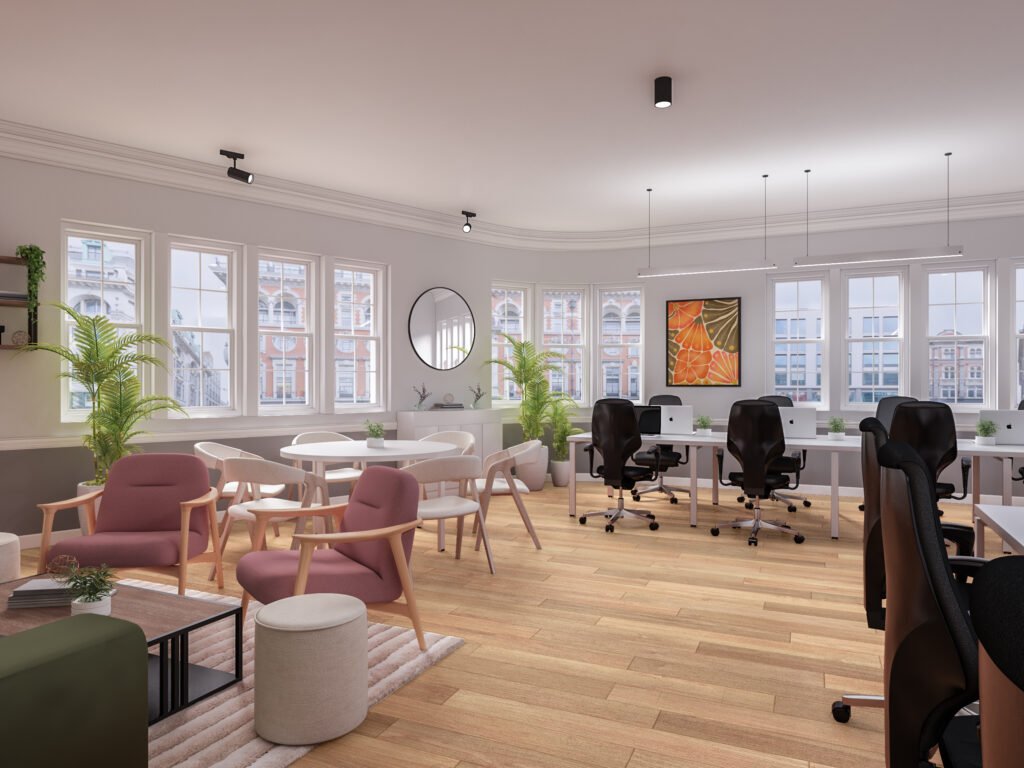
In a world where clients expect to “see” every idea before they approve it, interior 3D rendering services have become essential for modern design studios and furniture brands. Beautiful drawings are no longer enough. Buyers want realistic 3D visuals, retailers want consistent product images, and global teams want one clear visual language. Archirender3D exists to make that jump from concept to photoreal interior effortless. This page explains how our 3D rendering services are tailored specifically for design studios and furniture companies, how our workflow fits into your daily projects, and what makes our interior 3D work easier to brief, faster to approve, and more reliable over time. Why Interior 3D Rendering Matters for Design Studios If you run a design studio, you are constantly juggling concept sketches, moodboards, and technical drawings. The problem is straightforward: most clients struggle to fully comprehend plans and sections. They understand interior design only when they see an actual space. That is where our 3D rendering team comes in. Turn design intent into clear visuals Reduce rounds of revisions Because clients see accurate 3D renderings early, they spot issues before you reach the site. That means fewer late-stage changes, fewer site surprises, and more confidence in your design decisions. Protect your time and creative energy You focus on architectural design and interior concepts; we handle the heavy lifting of modelling, lighting, and visualisation. You remain the creative lead, and we become the technical extension of your studio. Why Furniture Brands Need Interior 3D Rendering For furniture brands, retail chains, and product manufacturers, the challenge is different but related. You need to show your furniture and products in real settings, at scale, in a way that feels aspirational and shoppable. From product to lifestyle Our interior 3D rendering services allow you to: Instead of stitching together inconsistent photoshoots, you build a library of renderings that can be reused across campaigns. Furniture modelling and product visualisation We provide high-quality furniture modelling for chairs, sofas, tables, storage systems, lighting fixtures, and more. Once a 3D model is built: This combination of product and interior rendering makes Archirender3D a practical partner for any furniture company with ongoing campaigns. How Archirender3D Works with Design Studios and Furniture Brands Unlike anonymous freelancer platforms such as Cad Crowd, working with Archirender3D means having a consistent team, a predictable process, and a shared understanding of your brand. We specialise in interior 3D rendering services for design studios and furniture brands | Archirender3D is built around three pillars: clarity, speed, and quality. 1. Clarity of brief and scope We start every project with a structured intake: If you are a design studio, we discuss the story behind the space: who uses it, how it feels, what should stand out.If you are a furniture brand, we focus on the product: hero pieces, target audience, and retail context. 2. Fast, iterative workflow Our process is designed to fit the way interior designers work: 3. Quality as a habit, not a one-off We optimise for long-term collaboration: Service Overview: Interior 3D Rendering Services Our core rendering services for interiors are built for two main audiences: design studios and furniture brands. Within that, we adapt our offer to each unique studio or company. For design studios We provide: Design studios gain a visual language that is both aspirational and technically accurate. For furniture brands We provide: Furniture brands gain consistent 3D material that fits every campaign and channel. Modeling Services and Asset Libraries At the heart of our work is precise, efficient modeling. Custom modeling services We build: Once you have this library, each new project becomes faster and more cost-effective. We are not just creating single renderings; we are building visual infrastructure. Compatibility with your tools We can work from: This makes Archirender3D an easy plug-in to existing workflows without forcing you to change your core design process. Visualization for Real Estate, Retail, and Product Launches Interior 3D rendering does not exist in isolation. Many of our clients operate at the intersection of real estate, retail, and product launches. Real estate developers and agents For developers and agencies, we create: This makes our work relevant to both the design studio and the real estate team selling the final space. Retail and e-commerce We help furniture brands: The result is a unified visual experience, no matter where the customer encounters your products. Our Quality Standards: What Makes Archirender3D Different Quality is not just about resolution. It is about how believable the space feels and how accurately it represents your designs and products. Photoreal yet brand-appropriate Attention to materials and textures Consistency across projects Because we act as a long-term visualization partner, we maintain a consistent level of quality across every project. Your clients see the same standard in every presentation, catalogue, or campaign. Collaboration, Communication, and Quick Quote We know that interior 3D rendering services have to fit smoothly into busy schedules. That is why communication and clarity are treated as seriously as the images themselves. Transparent timelines and milestones For each project we define: You always know where your renderings stand. Clear pricing and quick quote To get started, you can request a quick quote with: We respond with transparent pricing, timeline estimates, and a suggested approach—no hidden extras. Who We Work With Archirender3D is built around close, ongoing partnerships rather than one-off jobs. We work with: In each case, our goal is the same: to make 3D rendering a predictable, high-value part of your workflow. Why Choose Archirender3D Over Generic 3D Platforms You can find freelancers on big platforms, or even on technical sites like Cad Crowd, but there are real differences between that model and a dedicated visualization studio. With Archirender3D you get: We are not just selling isolated rendering services; we are building a long-term visualization partnership. Start Your Next Interior 3D Rendering Project with Archirender3D Whether you are presenting a new interior design concept to a client, launching a furniture collection, or preparing marketing visuals for a real estate development, the right
Can 3D Architectural Rendering Reduce Construction Errors?
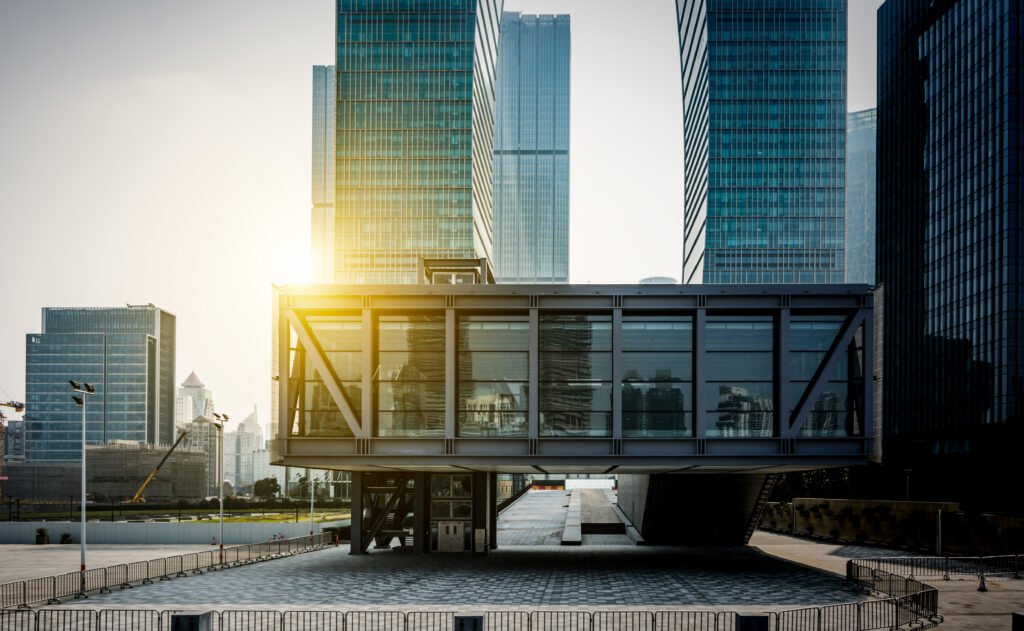
Table of Contents Key Takeaways Does 3D architectural rendering actually reduce construction errors? Yes. When used purposefully, 3D architectural rendering reduces construction mistakes by clarifying design intent, improving coordination, and enabling earlier detection of conflicts that otherwise show up on site. Which types of construction errors are most effectively prevented by pre construction visualization? Pre construction visualization prevents dimensional mismatches, MEP clashes, sequencing conflicts, ambiguous finish junctions, and misinterpretation of tolerances that commonly lead to rework and schedule delays. Which types of construction errors does rendering prevent? Rendering helps prevent dimensional mismatches, material misunderstandings, MEP clashes, sequencing oversights, and user experience problems that can lead to rework and cost overruns. How should teams use 3D visualization in architecture to maximize impact? Integrate renderings into pre construction workflows, pair them with BIM and coordination models, use interactive walkthroughs for stakeholder reviews, and lock down decisions with clear review protocols. Yes. When used purposefully, 3D architectural rendering reduces construction mistakes by clarifying design intent, improving coordination, and enabling earlier detection of conflicts that otherwise show up on site. Pre construction visualization prevents dimensional mismatches, MEP clashes, sequencing conflicts, ambiguous finish junctions, and misinterpretation of tolerances that commonly lead to rework and schedule delays. Rendering helps prevent dimensional mismatches, material misunderstandings, MEP clashes, sequencing oversights, and user experience problems that can lead to rework and cost overruns. Integrate renderings into pre construction workflows, pair them with BIM and coordination models, use interactive walkthroughs for stakeholder reviews, and lock down decisions with clear review protocols. Why Timeliness Matters for Construction and Visualization? The integration of 3d rendering services into the construction process is not a luxury. Efficient construction increasingly depends on clear visual communication early and often. Project teams face tighter schedules, compressed budgets, and more complex stakeholder expectations. That makes potential issues more costly and harder to resolve once ground works begin. Improved visualization moves questions from the site to the drawing review, which prevents surprise costs and keeps timelines intact. Modern projects use BIM coordination as the single source of truth, but BIM alone does not always translate easily for non technical stakeholders. High quality 3d rendering services convert federated BIM data into images and walkthroughs that all participants understand. When architects, contractors, and clients can see realistic sequences of construction, critical clashes and sequencing problems become obvious before steel is ordered or finishes are specified. Using 3D visualization in architecture during pre construction uncovers spatial and buildability problems early. That early detection means fewer RFIs, reduced change orders, and less rework on site. For contractors an accurate visual reduces misreading of drawings and supports efficient construction sequencing and logistics planning. For owners and investors it shortens decision cycles and increases confidence in budget and schedule assumptions. In short, the question matters now because the margin for error has shrunk and the return on investing in targeted visualization is clear. Teams that adopt 3d rendering services and link them to BIM coordination gain a practical advantage: they spot potential issues earlier, improve communication across disciplines, and deliver projects more predictably and efficiently. What we mean by 3D architectural rendering in construction workflows? When we talk about 3D architectural rendering in construction workflows we mean more than polished marketing images. These deliverables bridge design intent and buildability, help trades interpret assemblies, and provide a shared, visual reference for contractors, clients, and consultants. Used correctly, 3D rendering reduces ambiguity, surfaces potential issues early, and speeds approvals during pre construction and construction phases. Output Type Purpose for Construction Typical File Format Who Uses It Decision Point Photoreal stills Communicate finished material junctions and visual quality PNG; TIFF Clients; contractors Material sign off Technical close ups Show critical nodes, tolerances and connection details EXR AOV; PDF Fabricators; site supervisors Shop drawing approval MEP overlay passes Visualize ducts, pipes and conduits in context EXR; layered PSD MEP contractors; coordinators Clash resolution Interactive walkthroughs Validate circulation, clearances and sequencing WebGL; Unreal build Contractors; planners; clients Spatial validation Phasing and logistics flyovers Plan crane zones and site logistics MP4; animated FBX General contractor; site logistics Site staging plan As built comparison renders Compare proposed design against surveyed conditions PNG; point cloud overlays Surveyors; retrofit teams Demolition and fit out planning When these outputs are produced and consumed with the intent of technical validation rather than only aesthetics they become powerful tools for error reduction and construction readiness. Common construction errors and why they happen? Understanding the problem helps explain how visualization solves it. Frequent errors include: Dimensional mismatches between design and site realities caused by scale misunderstanding. MEP and structural clashes because trades work from different models or incomplete coordination. Incorrect material or finish selections that look different in real life than on drawings. Poorly thought through sequencing and logistics that create access problems on site. Ambiguities in spatial experience, for example poor circulation or sight lines that only become obvious when built. Misaligned expectations between client, architect and contractor about final quality and tolerances. These mistakes arise from incomplete communication, siloed data, inadequate early validation, and reliance on 2D representations that require mental translation. Visualizations reduce the cognitive load and make discrepancies obvious. How 3D architectural rendering prevents construction mistakes Making design intent unambiguous High quality 3d renderings show exact material junctions, ceiling heights, window sill details, and fixture placements in a way that cut sheets or notes sometimes do not. When stakeholders can see the intended outcome they are less likely to approve ambiguous details that later cause rework. Enabling early detection of spatial conflicts Walkthroughs and exploded views reveal conflicts between furniture, circulation and building systems before construction. Seeing a model in context exposes issues that static plans might hide. Aligning expectations across stakeholders Contractors, subcontractors and clients can all react to the same visual model. Visual alignment reduces disputes over what was intended and what was built. Improving coordination with MEP and structural teams Overlaying MEP routes on rendered scenes or compositing MEP color passes into interior renders highlights routing conflicts and access constraints that need resolution before site work.
How to Choose the Best 3D Rendering Services Company?

Table of Contents Key Takeaways What defines the best 3D rendering services company? The best 3D rendering services company combines a relevant portfolio, proven technical expertise, reliable workflows, transparent pricing, strong communication, and measurable business outcomes. How do you evaluate providers quickly and confidently? Use a short pilot brief, compare portfolios against your product type, verify technical workflows, test collaboration tools, and assess responsiveness during an initial discovery phase. What outcomes should you expect from a great partner? Faster approvals, fewer on-site changes, higher marketing conversions, pitch materials that win investors, and scalable assets you can reuse across projects. The best 3D rendering services company combines a relevant portfolio, proven technical expertise, reliable workflows, transparent pricing, strong communication, and measurable business outcomes. Use a short pilot brief, compare portfolios against your product type, verify technical workflows, test collaboration tools, and assess responsiveness during an initial discovery phase. Faster approvals, fewer on-site changes, higher marketing conversions, pitch materials that win investors, and scalable assets you can reuse across projects. Why Choosing the Right 3D Rendering Company Matters? Selecting the right 3d rendering service provider is a decision that affects more than visuals. A company with proven 3d rendering expertise and deep architectural company experience delivers photorealistic renderings that communicate design intent clearly to clients, planners, and contractors. When images are believable and technically accurate they reduce questions, speed approvals, and cut costly on site changes. Clear communication is equally important. The best providers assign a single point of contact who understands your project milestones, documents revision scopes, and translates feedback into actionable tasks for artists and technical directors. That communication rhythm preserves schedule and budget while preserving quality. Working with a partner experienced in architectural workflows means deliverables integrate with BIM and MEP coordination, handle UDIMs and AOV stacks, and arrive color calibrated for print and web. In real projects this combination of technical rigor and responsive communication turns renderings into decision making tools rather than just marketing assets, helping architects, developers, and stakeholders reach agreement faster and with more confidence. Who Uses 3D Rendering Services and Why? Architects seeking clearer client approvals and permit-ready visuals. Developers and real estate teams using renderings to accelerate pre-sales and investor buys. Interior designers who need interior rendering to sell finishes and layouts. Product teams using renderings to prototype, market, or crowdfund concepts. Marketing agencies who require high quality assets for campaigns and launches. Each stakeholder has a slightly different success metric, but all benefit from visuals that shorten the decision cycle, increase confidence, and improve conversion rates. What the Best 3D Rendering Services Company Offers? Portfolio that proves they can execute your project type with the desired finish level. Technical depth across render engines and real-time platforms. Clear, documented production workflow with milestones and QA gates. Transparent pricing that separates model prep, rendering, post-production, and revisions. Collaboration tools for visual reviews, pin-based feedback, and version control. Security measures for IP protection and secure file transfer. Options for scale such as cloud rendering and template libraries for repeat work. A top provider blends creative direction with technical reliability so each deliverable meets both aesthetic and business goals. How to Prepare Your Project Before You Search Defining your brief up front reduces friction and leads to better quotes: Define priority deliverables Number of stills, animations, VR scenes, or WebGL viewers you need. Gather source files and references Provide CAD, Revit, Rhino, SketchUp, or OBJ files with named layers and scale settings. Attach mood boards, brand guidelines, and real material samples. Set acceptance criteria Define what constitutes a final deliverable and how many revisions are included. Identify timeline and milestones Link visual delivery to marketing launch dates, permit submissions, or investor meetings. Clarify budget bands Provide a realistic budget range so providers can propose viable options. Prepared briefs shorten discovery, produce accurate 3d rendering pricing, and minimize scope creep. Step by Step Selection Process for the Best 3D Rendering Services Company Shortlist candidates from portfolios and referrals Look for projects that match scale and style. Issue a concise request for proposal or discovery brief Keep it to a single page with key files and expected deliverables. Evaluate responses for clarity and process detail Prefer providers who explain their workflow and show sample AOV passes. Conduct short interviews with chosen firms Focus on technical approach, communication rhythm, and team structure. Run a low cost pilot project One exterior and one interior still or a 15 second fly-through are sufficient to test fit. Review pilot outcomes against acceptance criteria Assess visual fidelity, responsiveness to feedback, and how smoothly files moved through their pipeline. Negotiate a longer term engagement with clear milestones and KPIs Include pricing packages for retainer work or volume discounts. This process keeps procurement efficient while reducing the risk of a mismatch. Technical Questions to Ask Prospective Service Provider Which render engines do you use for final stills and animations? Do you support real-time engines for interactive configurators or VR? How do you handle model cleanup and geometry optimization? Can you provide EXR AOV stacks for compositing and color grading? What PBR material libraries and scanned assets do you use? How do you manage color and display calibration for print and web? What is your typical samples per pixel for final renders, and how do you manage denoising? Do you support UDIM workflows and multi-tile UVs? How do you handle large scenes and memory constraints on render farms? Can you integrate MEP or BIM data for coordination visuals? Technical clarity ensures you will get deliverables that integrate into design and construction workflows. Archirender3D’s Client Testimonials Real clients describe how working with the best 3D rendering services company changed outcomes for their projects. These quotes reflect real experience, not marketing copy, and show practical benefits for architects, developers, and product teams. “High quality renderings gave our pre sale campaign credibility. We converted inquiries into deposits faster than past launches and reduced the need for costly physical show suites.” Rico YanDeveloper Great service, great communication, very pleased with finished product! Also
Your Ultimate Guide to 3D Architectural Animation
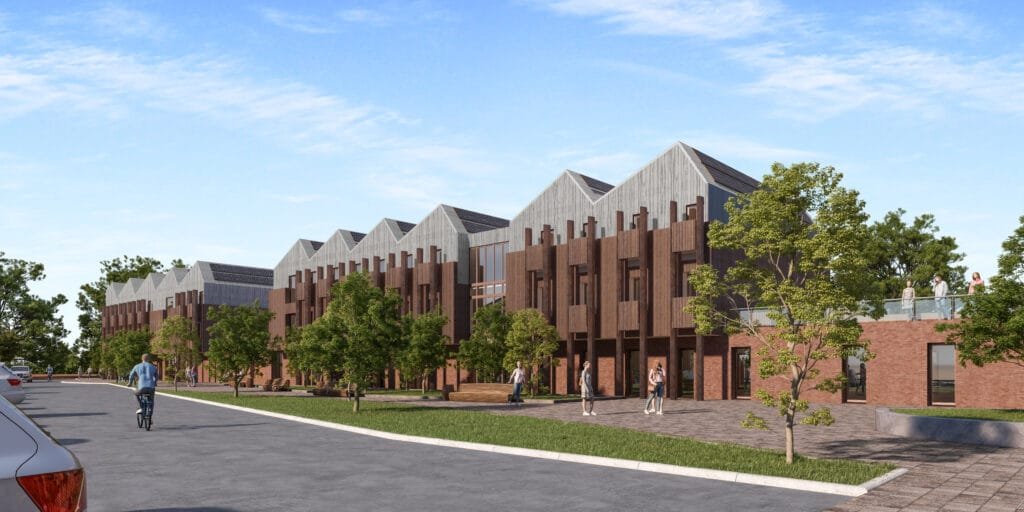
Introduction You may hesitate when you first hear about investing in 3D rendering services and cinematic architectural animations, wondering if advanced animation techniques and real-time rendering are truly more than just flashy extras. You’ve already commissioned basic walkthrough animations or static renders and found the results underwhelming, leaving you to question whether deeper architectural visualization can really move the needle. At ArchiRender3D, we’ve guided designers, developers, and marketers through the same uncertainty. On one urban mixed-use project, our team replaced dozens of static images with a concise 45-second fly-through that highlighted massing, context, and materials in motion—accelerating stakeholder buy-in by two weeks. On another high-end residential master plan, we used real-time rendering to tweak lighting and finishes live during client workshops, ensuring every detail resonated before committing to final frames. In this Ultimate Guide to 3D Architectural Animation, we’ll peel back the curtain on the strategies that make these animations effective. You’ll discover how to choose the right 3D rendering services, script compelling narratives using proven animation techniques, and know when to leverage real-time rendering versus high-fidelity offline pipelines. We’ll also explore how polished architectural walkthrough animations and integrated architectural visualization workflows can turn your proposals into immersive experiences that win more clients, speed approvals, and elevate your brand. By the end of this guide, you’ll feel confident about deploying motion as a strategic tool—knowing exactly when and how to transform static designs into stories that stakeholders not only see, but truly feel. What Is 3D Architectural Animation? 3D Architectural Animation transforms digital building models into moving sequences that illustrate design intent. Instead of a single static view, you guide viewers through spaces, materials, lighting, and context in motion. An animation can range from a simple fly-through of a lobby to a fully narrated journey through a master plan. These sequences combine geometry, textures, lighting rigs, and camera paths to craft immersive visual stories. Why 3D Architectural Animation Matters Probably you worry that clients won’t sit through a minute-long video. In reality, well-crafted animations capture attention and build emotional connections in ways still images cannot. When clients see a sunlit atrium come alive, they grasp spatial relationships and material choices instantly. Animation also accelerates decision making. Stakeholders move beyond abstract plans and quickly agree on layouts, palettes, and finishes. That clarity can shave weeks off approval cycles. Key Use Cases for 3D Architectural Animation Use Case Description Client Presentations Showcase design vision in a dynamic, engaging format to diverse stakeholders Marketing and Sales Embed animations in websites, social media, and email campaigns to generate buzz and drive inquiries Investor Pitches Guide potential investors through a project’s narrative, highlighting ROI drivers and unique features Public Consultations Present master plans, zoning changes, or community designs in an approachable, easy to understand way Design Validation Test circulation paths, lighting strategies, and volumetric relationships internally before construction Client Presentations When you guide clients through a cinematic fly-through, they grasp spatial relationships and materiality almost immediately. In one hospital lobby project, a 45-second animation cut a two-hour review down to thirty minutes and secured design approval within days. Marketing and Sales Embedding a 30-second exterior and interior animation on a developer’s website boosted page dwell time by 120 percent. That engagement spike translated into double the leads and a 65 percent rise in email inquiries in the first month. Investor Pitches A narrative animation for a London mixed-use scheme wove foot-traffic patterns and rental yield projections into a clear story. Investors signed term sheets within a week after viewing the animation, accelerating funding rounds. Public Consultations An animation toggling between existing shoreline, future sea-level projections, and proposed green infrastructure turned skeptical residents into engaged advocates. The project earned permitting three months ahead of schedule. Design Validation An exploded-view animation for a multi-tower development revealed a clash between ductwork and ceiling beams before construction began. That early discovery saved $75,000 in change-order costs and kept the schedule on track. Types of 3D Architectural Animations Animation Type Description Typical Duration Fly-Through Smooth camera path through interior or exterior spaces 30–60 seconds Fly-Around Exterior orbit of a building to showcase form and context 20–40 seconds Walk-Through First-person perspective simulating a visitor’s path 60–90 seconds Exploded View Animated separation of building components for technical clarity 15–30 seconds Sequence-Based Narrative Story-driven video with annotation, voice-over, and graphics 90–180 seconds Fly-Through Animations A fly-through is a smooth, guided camera path that carries viewers through interior or exterior zones. You might worry that static renderings already capture your design’s highlights, but a fly-through turns passive observation into immersive exploration. Real Experience: For a corporate headquarters lobby, we crafted a 50-second fly-through that began at the entrance plaza, glided under the vaulted ceiling, and paused at key design features, such as the reception desk, sculptural stairway, and double-height atrium. Decision makers who previously hesitated on finish selections signed off within days, citing the animation as the closest they had felt to walking through the space. Fly-Around Animations When you need to showcase massing, context, and façade articulation, a fly-around delivers a complete exterior overview. You may assume that a static exterior shot tells the story, yet an orbiting camera reveals how the building sits within its environment from every angle. Real Experience: A mixed-use tower in Singapore faced community concerns about height and shadow impact. We produced a 30-second fly-around animation showing morning, noon, and evening lighting conditions. Community board members shifted from skepticism to support after seeing how the tower’s stepped form allowed sunlight to filter onto adjacent streets. Walk-Through Animations Walk-throughs simulate a first-person journey through a space, giving viewers control over their path. You might hesitate because VR headsets seem complex, but a basic walk-through video delivers similar engagement without specialized hardware. Real Experience: In a boutique hotel renovation, we created a 75-second walk-through that navigated from the street-level café into guest corridors, lounge spaces, and the rooftop terrace. Executives praised the sense of scale and flow, enabling the design team to finalize furniture layouts and lighting schemes in
Who Needs 3D Rendering Services? Architects, Developers & More
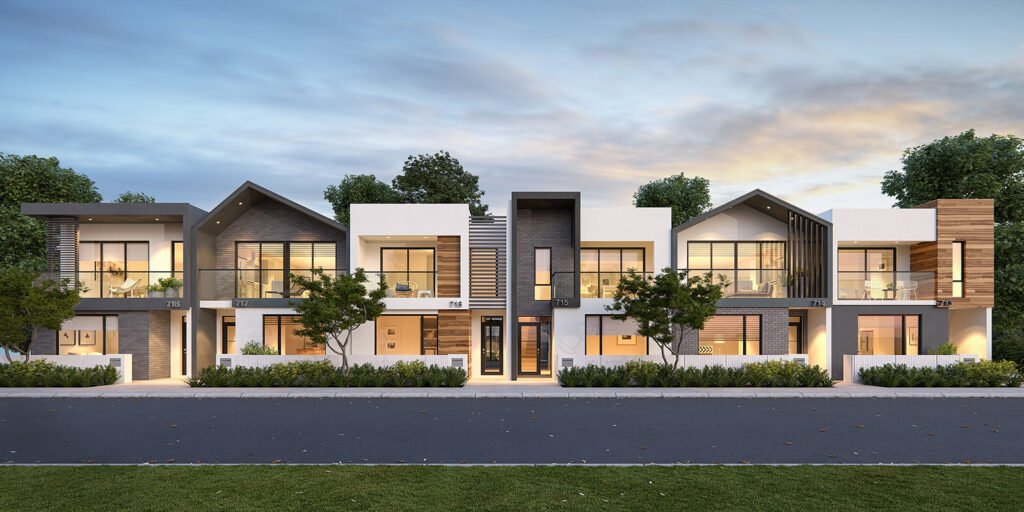
Introduction You may be asking yourself, Who Needs 3D Rendering Services and whether they are truly worth the investment. Perhaps you have relied on hand sketches, physical models, or basic CAD drawings for years. You might hesitate because commissioning photorealistic visuals feels like a luxury rather than a necessity. Yet in today’s competitive environment, 3D rendering does more than make projects look pretty. It transforms how you communicate ideas, secure approvals, and engage stakeholders. At ArchiRender3D, we have guided architects, developers, interior designers, real estate agents, and more through the rendering journey. We have seen firsthand how high-quality 3d renders reduce misunderstandings, accelerate timelines, and elevate every phase of design and marketing. In this post, you will discover exactly who benefits from 3D rendering services, why they matter, and how to integrate them into your workflow without adding complexity. The Evolution of Visualization in Architecture and Development Long before computers entered the picture, architects relied on hand-drawn sketches and physical scale models to convey vision. Those methods held value but demanded exceptional artistic skill and many iterations. CAD software added precision but remained flat. Clients still struggled to imagine space beyond lines on paper. Then came basic 3D modeling and static renderings, which offered more depth but often looked artificial. Today’s 3D rendering services employ advanced engines, real-world lighting simulations, and physically based materials. These tools deliver photoreal accuracy that helps viewers feel as though they are walking through built spaces. By understanding this evolution, you see why embracing 3D architectural rendering is no longer optional. It has become central to design communication, stakeholder buy-in, and marketing success. Who Benefits from 3D Rendering Services 3D rendering services deliver value across a spectrum of industry professionals. Below is an overview of the main roles that stand to gain, with real-experience insights and common hesitations addressed. Architects You might hesitate to outsource visualization, fearing a loss of creative control. Yet partnering with a dedicated 3D rendering team lets you focus on design innovation rather than technical rendering quirks. Benefits for architects: Faster design iterations by previewing materials and forms in photoreal context Clear communication with clients, consultants, and contractors Stronger proposals and presentation materials that stand out in competitions RealRender3D Experience One architectural firm we worked with had struggled to win a cultural center competition. After integrating 3D renders into their concept boards, the jury could immediately grasp spatial relationships and materiality. The firm won the bid, attributing success to the clarity renders provided. Developers You may wonder if 3D rendering services are necessary for large-scale projects already backed by investor confidence. In reality, photoreal renders help secure financing and pre-sell units by showcasing exactly what will be built. Benefits for developers: Boosted off-plan sales through immersive marketing campaigns Streamlined funding approvals by presenting realistic cost-benefit visuals Market differentiation in crowded segments RealRender3D Experience A residential developer in Manila faced tepid interest despite low pre-sale prices. After deploying 3D architectural renderings across digital ads and brochures, inquiry rates jumped 150 percent. Units sold out faster than any prior project. Interior Designers Perhaps you have hesitated because scanning fabrics or textures into software seems daunting. Modern 3D rendering services handle material scanning and apply physically based materials automatically. Benefits for interior designers: Ability to preview lighting effects on finishes before procurement Client confidence through virtual walkthroughs of key spaces Efficient selection between competing design schemes RealRender3D Experience An interior design studio in Singapore used 3D interior rendering services to show three distinct palette options for a hotel lobby. The client eliminated two schemes at once by directly comparing renders, cutting decision time in half. Real Estate Agents and Brokers You might assume that property photography suffices. Yet photography can only capture built environments. 3D rendering services allow showcasing unbuilt developments, renovation concepts, and speculative layouts. Benefits for agents: Enhanced listings with both existing and future property visuals Broader reach by sharing 360° tours and animated walkthroughs Reduced time-onsite viewings by offering accurate remote previews RealRender3D Experience A brokerage in Toronto added virtual property showcases to their website. Page engagements rose by 80 percent and scheduled viewings increased by 35 percent, as prospects felt more certain of a property’s appeal before onsite visits. Home Builders and Contractors You may worry that rendering adds cost to construction projects. In fact, catching design clashes virtually saves significant on-site rework costs, sometimes recouping the rendering budget multiple times over. Benefits for builders: Early clash detection between structural, mechanical, and finish elements Clear shop drawings derived from render-approved visuals Marketing assets to advertise model homes and community amenities RealRender3D Experience A custom home builder in Sydney used architectural renderings to finalize ceiling and beam alignments before framing. On-site changes dropped by 40 percent, saving weeks of schedule delays. Marketing Teams Perhaps your marketing team relies on stock images and text-heavy brochures. 3D rendering services deliver unique, branded content that speaks directly to target demographics. Benefits for marketing: Cross-channel consistency with photoreal visuals for print, web, and social Higher engagement through interactive panoramas and immersive video Story-driven content that resonates emotionally RealRender3D Experience A luxury condo marketing campaign in Dubai integrated a 60-second rendered walkthrough into email blasts. Click-through rates soared, and the development gained international attention in design blogs. Investors and Stakeholders Many investors are hesitant when they cannot visualize a project’s performance or aesthetic. 3D architectural renderings provide clear evidence of potential returns and design quality. Benefits for investors: Reduced perceived risk with tangible visual previews Faster due diligence by reviewing consistent, accurate materials Enhanced confidence in project teams and execution RealRender3D Experience An international investment group used a VR-enabled render of a mixed-use tower to evaluate amenity adjacencies. The immersive session convinced them to approve phase two funding within days. Key Features of 3D Rendering Services Understanding what professional 3D rendering entails helps you set expectations and choose the right partner. Feature Description Benefit Photorealistic Still Images High-resolution images with accurate lighting and materials Instant visual impact Animated Walkthroughs Short videos that guide viewers through spaces Emotional engagement and storytelling