
Table of Contents
Key Takeaways
Does 3D architectural rendering actually reduce construction errors?
Yes. When used purposefully, 3D architectural rendering reduces construction mistakes by clarifying design intent, improving coordination, and enabling earlier detection of conflicts that otherwise show up on site.
Which types of construction errors are most effectively prevented by pre construction visualization?
Pre construction visualization prevents dimensional mismatches, MEP clashes, sequencing conflicts, ambiguous finish junctions, and misinterpretation of tolerances that commonly lead to rework and schedule delays.
Which types of construction errors does rendering prevent?
Rendering helps prevent dimensional mismatches, material misunderstandings, MEP clashes, sequencing oversights, and user experience problems that can lead to rework and cost overruns.
How should teams use 3D visualization in architecture to maximize impact?
Integrate renderings into pre construction workflows, pair them with BIM and coordination models, use interactive walkthroughs for stakeholder reviews, and lock down decisions with clear review protocols.
Why Timeliness Matters for Construction and Visualization?
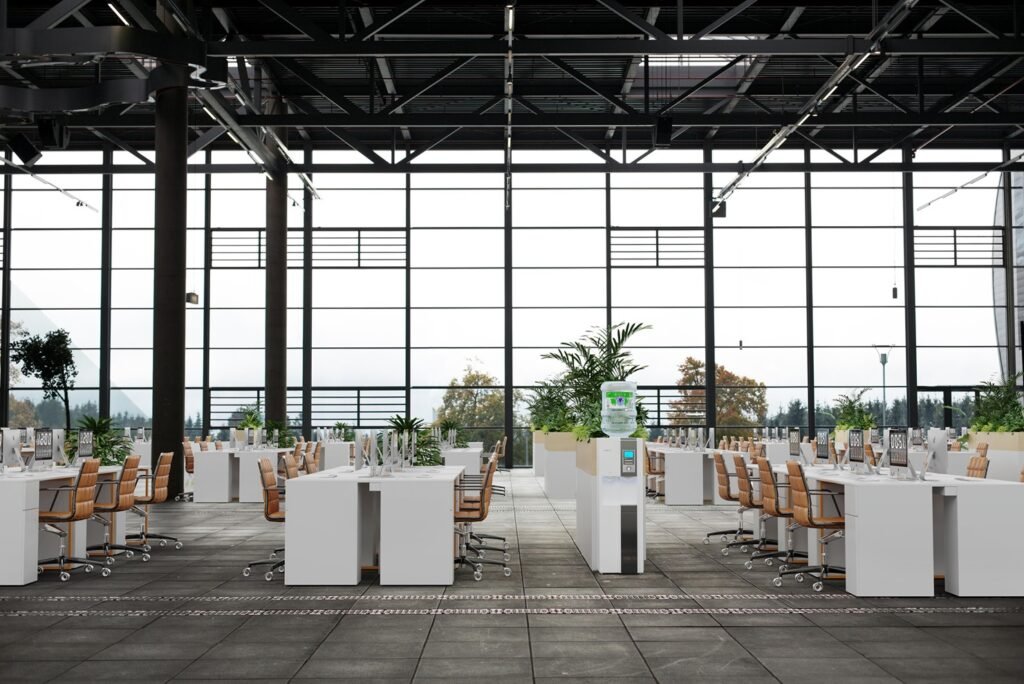
The integration of 3d rendering services into the construction process is not a luxury.
Efficient construction increasingly depends on clear visual communication early and often. Project teams face tighter schedules, compressed budgets, and more complex stakeholder expectations.
That makes potential issues more costly and harder to resolve once ground works begin. Improved visualization moves questions from the site to the drawing review, which prevents surprise costs and keeps timelines intact.
Modern projects use BIM coordination as the single source of truth, but BIM alone does not always translate easily for non technical stakeholders. High quality 3d rendering services convert federated BIM data into images and walkthroughs that all participants understand.
When architects, contractors, and clients can see realistic sequences of construction, critical clashes and sequencing problems become obvious before steel is ordered or finishes are specified.
Using 3D visualization in architecture during pre construction uncovers spatial and buildability problems early. That early detection means fewer RFIs, reduced change orders, and less rework on site.
For contractors an accurate visual reduces misreading of drawings and supports efficient construction sequencing and logistics planning. For owners and investors it shortens decision cycles and increases confidence in budget and schedule assumptions.
In short, the question matters now because the margin for error has shrunk and the return on investing in targeted visualization is clear.
Teams that adopt 3d rendering services and link them to BIM coordination gain a practical advantage: they spot potential issues earlier, improve communication across disciplines, and deliver projects more predictably and efficiently.
What we mean by 3D architectural rendering in construction workflows?

When we talk about 3D architectural rendering in construction workflows we mean more than polished marketing images.
These deliverables bridge design intent and buildability, help trades interpret assemblies, and provide a shared, visual reference for contractors, clients, and consultants.
Used correctly, 3D rendering reduces ambiguity, surfaces potential issues early, and speeds approvals during pre construction and construction phases.
| Output Type | Purpose for Construction | Typical File Format | Who Uses It | Decision Point |
|---|---|---|---|---|
| Photoreal stills | Communicate finished material junctions and visual quality | PNG; TIFF | Clients; contractors | Material sign off |
| Technical close ups | Show critical nodes, tolerances and connection details | EXR AOV; PDF | Fabricators; site supervisors | Shop drawing approval |
| MEP overlay passes | Visualize ducts, pipes and conduits in context | EXR; layered PSD | MEP contractors; coordinators | Clash resolution |
| Interactive walkthroughs | Validate circulation, clearances and sequencing | WebGL; Unreal build | Contractors; planners; clients | Spatial validation |
| Phasing and logistics flyovers | Plan crane zones and site logistics | MP4; animated FBX | General contractor; site logistics | Site staging plan |
| As built comparison renders | Compare proposed design against surveyed conditions | PNG; point cloud overlays | Surveyors; retrofit teams | Demolition and fit out planning |
When these outputs are produced and consumed with the intent of technical validation rather than only aesthetics they become powerful tools for error reduction and construction readiness.
Common construction errors and why they happen?
Understanding the problem helps explain how visualization solves it. Frequent errors include:
- Dimensional mismatches between design and site realities caused by scale misunderstanding.
- MEP and structural clashes because trades work from different models or incomplete coordination.
- Incorrect material or finish selections that look different in real life than on drawings.
- Poorly thought through sequencing and logistics that create access problems on site.
- Ambiguities in spatial experience, for example poor circulation or sight lines that only become obvious when built.
- Misaligned expectations between client, architect and contractor about final quality and tolerances.
These mistakes arise from incomplete communication, siloed data, inadequate early validation, and reliance on 2D representations that require mental translation.
Visualizations reduce the cognitive load and make discrepancies obvious.
How 3D architectural rendering prevents construction mistakes
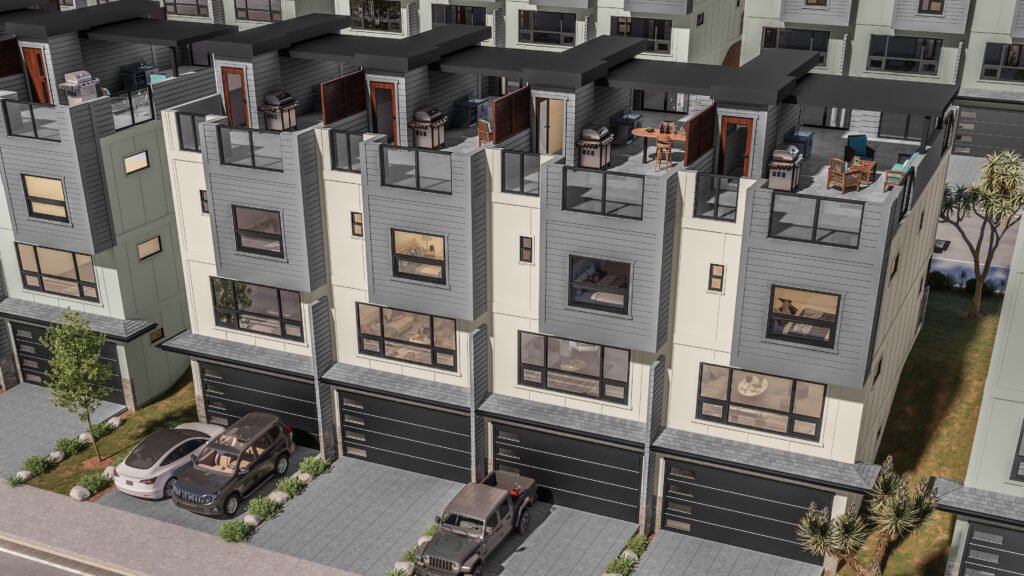
Making design intent unambiguous
High quality 3d renderings show exact material junctions, ceiling heights, window sill details, and fixture placements in a way that cut sheets or notes sometimes do not. When stakeholders can see the intended outcome they are less likely to approve ambiguous details that later cause rework.
Enabling early detection of spatial conflicts
Walkthroughs and exploded views reveal conflicts between furniture, circulation and building systems before construction. Seeing a model in context exposes issues that static plans might hide.
Aligning expectations across stakeholders
Contractors, subcontractors and clients can all react to the same visual model. Visual alignment reduces disputes over what was intended and what was built.
Improving coordination with MEP and structural teams
Overlaying MEP routes on rendered scenes or compositing MEP color passes into interior renders highlights routing conflicts and access constraints that need resolution before site work.
Supporting better procurement and shop drawing accuracy
Photoreal and dimensionally accurate visuals guide manufacturers and fabricators, reducing errors in bespoke elements like millwork and curtain walls.
Validating construction sequencing and site logistics
Animated sequences show crane swing, material laydown areas, and staging which prevents clashes with public access, reduces safety risks and speeds scheduling.
Reducing ambiguous change orders and RFIs
When images and interactive models accompany change requests, reviewers see the issue clearly and can decide faster, reducing the cycle time for RFIs and change orders.
Testing user experience and code compliance visually
Renderings help evaluate egress sight lines, accessible route clarity, and amenity ergonomics before permits are final.
Visualization acts as a translator between design language and construction practice. It exposes practical issues while there is still time to correct them economically.
Types of renderings and visualization outputs that reduce risk
Not every render type has the same impact. Use the following outputs strategically for error reduction:
As built comparison renders
Show proposed design overlaid on a model of the existing site or building to expose conversion risks and dimensional mismatches.MEP overlay passes
Visual layers that show mechanical, electrical and plumbing in contrasting colors over interiors to clarify routing and access.Exploded axonometric sequences
Pull apart layers of a building visually to reveal interfaces between structure, services and finishes.Material junction close ups
High detail shots of critical nodes such as window to slab connections and balustrade fixings help suppliers and contractors understand tolerances.Walkthroughs with timed annotations
Guided animations that pause at decision points with embedded notes reduce misinterpretation compared to free form presentations.Interactive real time scenes with measurement tools
Allow reviewers to take measurements and test clearances in a virtual environment before procurement.Phasing and logistics flyovers
Animated site sequences that show construction stages and crane zones prevent access and sequencing errors.
Selecting the correct visualization for the decision you need to make is as important as the render quality itself.
Workflow patterns that embed rendering into pre construction coordination
A visualization led coordination workflow typically follows these stages:
Model Consolidation
Collect architectural, structural and MEP models and create a federated coordination model. This is the basis for render driven validation.Low fidelity visual validation
Use quick real time walkthroughs to vet spatial decisions with stakeholders. Resolve big picture issues before detailed modeling.Technical render passes
Produce targeted renders for critical nodes and MEP routes. Use AOV passes and technical callouts to aid contractor interpretation.Coordination workshops
Host review sessions with the contractor and trade leads using interactive scenes. Capture action items live and assign resolution ownership.Shop drawing and procurement alignment
Provide fabricators with dimensionally accurate images and component cutaway renders to reduce manufacturing mistakes.Final sign offs with clear deliverables
Lock down decisions with visuals appended to approvals so downstream teams reference the approved images rather than relying on memory.As built verification
After construction, update the model with as built conditions and compare against rendered expectations to capture lessons learned.
This pattern turns visualization from a marketing step into a continuous coordination medium across design and construction.
Technical integration with BIM, MEP, and quantity takeoff systems
For rendering to reduce errors it must connect with the project data ecosystem:
- Use the same coordinate systems and verified levels to avoid alignment drift between BIM and visualization models.
- Import or reference federated BIM models so render scenes reflect accurate system routing.
- Provide AOV exports that link to element IDs in the BIM model to make a rendered pixel traceable to a specific slab or duct.
- Integrate with clash detection tools and use rendered output to show non technical stakeholders the nature of clashes.
- Generate annotated quantity takeoff visuals where necessary to link images to procurement lists and supplier specs.
When visualization is traceable back to BIM elements it becomes a reliable decision record rather than an aesthetic mock up.
Real world examples and Lessons from practice

Example 1 -Multi family mid rise project
A development team used detailed interior renderings to finalize unit kitchens and mechanical routing. The renderings revealed that planned plumbing stacks conflicted with the proposed electrical riser layout in two stacked units.
Resolving the conflict in the model avoided a site redesign that would have required cutting new chase walls and delaying finishes by four weeks.
Lesson Learn produce node level renders for stacked service areas early to avoid vertical coordination failures.
Example 2 Adaptive reuse office conversion
During an adaptive reuse the team overlaid as built laser scan data with proposed renders. The scan showed a concealed beam that reduced clear headroom in a corridor. The visual comparison forced a layout change at the design stage and prevented a costly mid construction structural modification.
Lesson Learn incorporate accurate as built data into renders to validate clearances before demolition.
Example 3 Hospitality project with bespoke joinery
A hotel project used dimensionally accurate rendered shop drawings for the joinery fabricator. The renderings included sectional cutaways and installation sequencing that the fabricator followed, eliminating measurement errors and reducing three site visits to one.
Lesson Learn include fabrication level render outputs for bespoke elements to reduce manufacturing and install errors.
Practical checklist for using renderings to reduce errors on your next project
- Use a federated model with a single coordinate origin for all disciplines.
- Prioritize rendering of critical nodes and stacked services before detailing.
- Require a single reviewer to consolidate feedback across stakeholders.
- Use real time review sessions to make decisions and record outcomes.
- Deliver high resolution close ups for joinery, railings and curtain wall interfaces.
- Provide MEP overlay passes and ensure trades attend visualization reviews.
- Include annotated render images in RFIs and change order documentation.
- Track the number of re renders and use that metric to improve briefs.
- Archive approved visuals with version tags and link them to contract documents.
Following this checklist converts renders into prescriptive documents that guide construction.
Cost, time and ROI considerations
Investing in 3D architectural rendering for coordination has clear returns:
- Reduced rework and fewer change orders which directly cut cost overruns.
- Shorter approval timelines because stakeholders understand designs faster.
- Improved procurement accuracy that reduces waste in manufacture and delivery.
- Better client satisfaction and reduced warranty claims after handover.
Budgeting advice
- Start with targeted renders for high risk areas rather than full building imagery.
- Use hybrid real time and offline workflows to lower the cost of iterative reviews.
- Treat visualization as a line item in pre construction budgets similar to survey and coordination expenses.
When balanced against the cost of a single major on site error, even a modest visualization budget pays for itself quickly.
Common pitfalls and how to avoid them
Pitfall 1: 3D Renderings that are purely aesthetic become misleading
Avoid presenting visuals unconnected to verified models. Ensure all visuals used for coordination are derived from the coordination model.
Pitfall 2: Over reliance on images without data traceability
Mitigate by linking renders to BIM element IDs and providing supporting dimensions and tolerances.
Pitfall 3: Poorly managed feedback causing multiple re renders
Use a single reviewer, pin based comments, and staged review rounds to reduce iteration waste.
Pitfall 4: Unrealistic lighting and material choices that hide flaws
Use neutral, accurate lighting for technical validation renders and reserve stylized looks for marketing.
Pitfall 5: Failing to include contractors and trades in review cycles
Invite trade leads to visualization workshops and ensure their concerns are captured as actionable items.
Avoiding these pitfalls makes render driven coordination credible and effective.
Next Steps for Teams Ready to Adopt Visualization Led Coordination

Pilot a focused use case
- Choose one high risk area such as stacked services, a complex façade node, or primary circulation.
- Scope a small deliverable set: one interactive walkthrough, two technical close ups, and one MEP overlay pass.
- Set a one to three week timeline so the pilot yields fast feedback without large overhead.
Establish single point reviewers and decision rules
- Appoint one reviewer from the client side and one from the contractor side to consolidate comments.
- Define what constitutes a minor versus a major revision and limit rounds to avoid iterative waste.
Federate and verify models early
- Create a federated BIM coordination model with common origins and verified levels.
- Use that model as the source for all renders so visuals reflect the same data contractors use for construction.
Choose the right visualization formats for the decision at hand
- Use real time walkthroughs for spatial approvals, AOV technical passes for fabrication, and MEP overlay renders for trade coordination.
- Match deliverables to decision points such as permit sign off, shop drawing release, and site logistics planning.
Integrate review tools and capture decisions as records
- Adopt pin based web review tools that timestamp and version comments.
- Export annotated, versioned images and attach them to RFIs, change orders, and procurement documents.
Train project teams on efficient review behaviour
- Run a short onboarding session that shows stakeholders how to leave consolidated comments, measure in viewers, and group minor edits.
- Provide a one page review protocol to reduce ambiguous feedback and unnecessary re renders.
Track metrics and iterate the process
- Measure RFIs, change orders, re render counts, and time to approval on pilot projects.
- Use these metrics to refine briefs, adjust deliverables, and prove ROI to stakeholders.
Scale with templates and trusted asset libraries
- Convert successful pilot scenes into reusable templates and material banks.
- Offer packaged pricing for repeatable views to encourage reuse and reduce per view cost as you scale.
Align procurement and contract language
- Include visualization deliverables, review rounds, and acceptance criteria in procurement documents.
- Specify responsibilities for model upkeep, data provenance, and final sign off to avoid later disputes.
Document lessons learned and share with project partners
- Capture what reduced errors and what caused extra work.
- Share a short case brief with contractors and clients so future projects start with improved workflows.
These practical steps convert visualization from a marketing tool into a construction ready coordination method that prevents errors, speeds approvals, and improves predictability across the construction process.
Conclusion
3D architectural rendering has matured into a practical tool for reducing construction errors when integrated thoughtfully into pre construction workflows. It works best when visuals are produced from verified coordination models, used to answer specific construction questions, and consumed in structured review sessions that include contractors and trade leads.
The payoff is tangible: fewer mistakes on site, faster approvals, better procurement accuracy, and lower overall project risk.
If your team currently treats rendering as a marketing exercise shift the conversation. Use renderings intentionally to validate decisions, to align expectations, and to document approvals.
Do that and renderings will stop being optional extras and start becoming essential instruments for building better, faster and with fewer mistakes.
If you are ready to move from reactive problem solving on site to proactive coordination in the office ArchiRender3D can help design and run a pilot tailored to your highest risk details.
The right 3d visualization practice will make construction more predictable, faster, and less expensive.
FREQUENTLY ASKED QUESTIONS
What is 3d architectural rendering and how does it help reduce construction mistakes?
3d architectural rendering creates photoreal images and interactive models from project data. It clarifies design intent, shows material and dimensional relationships, and uncovers conflicts before site work begins so teams make fewer costly on site corrections.
How do 3D rendering services integrate with BIM coordination to prevent errors?
Providers import federated BIM models and produce visuals tied to element IDs. That linkage lets trades see routing, clashes, and clearances in a familiar visual format, improving coordination and reducing hidden conflicts during construction.
When should a project team bring 3D visualization in architecture into the construction process?
Bring visualization into the project at concept development and again before detailed design freeze. Early walkthroughs catch big picture issues and targeted technical renders validate critical nodes prior to shop drawing production.
What deliverables from 3D rendering services are most useful for contractors?
Contractors benefit most from as built comparisons, MEP overlay passes, exploded detail renders, dimensioned close ups for joinery, and interactive WebGL scenes with measurement tools that guide procurement and installation.
Can real time engines replace offline renders for coordination and still maintain accuracy?
Real time engines accelerate iterative reviews and stakeholder buy in while preserving spatial accuracy for most coordination tasks.
What are common pitfalls when using renderings for error reduction and how do we avoid them?
Common pitfalls include using aesthetic only visuals, presenting renders that are not linked to verified models, and poorly managed feedback. Avoid them by deriving visuals from federated BIM, including technical AOV passes, assigning a single reviewer, and documenting approvals with versioned images.